Early access · UK scaffolding firms

Run every scaffold job from survey to strip.

One app for the office, the site and your customers. Everyone sees the same job, where it is up to, and the same dates.

Register interest
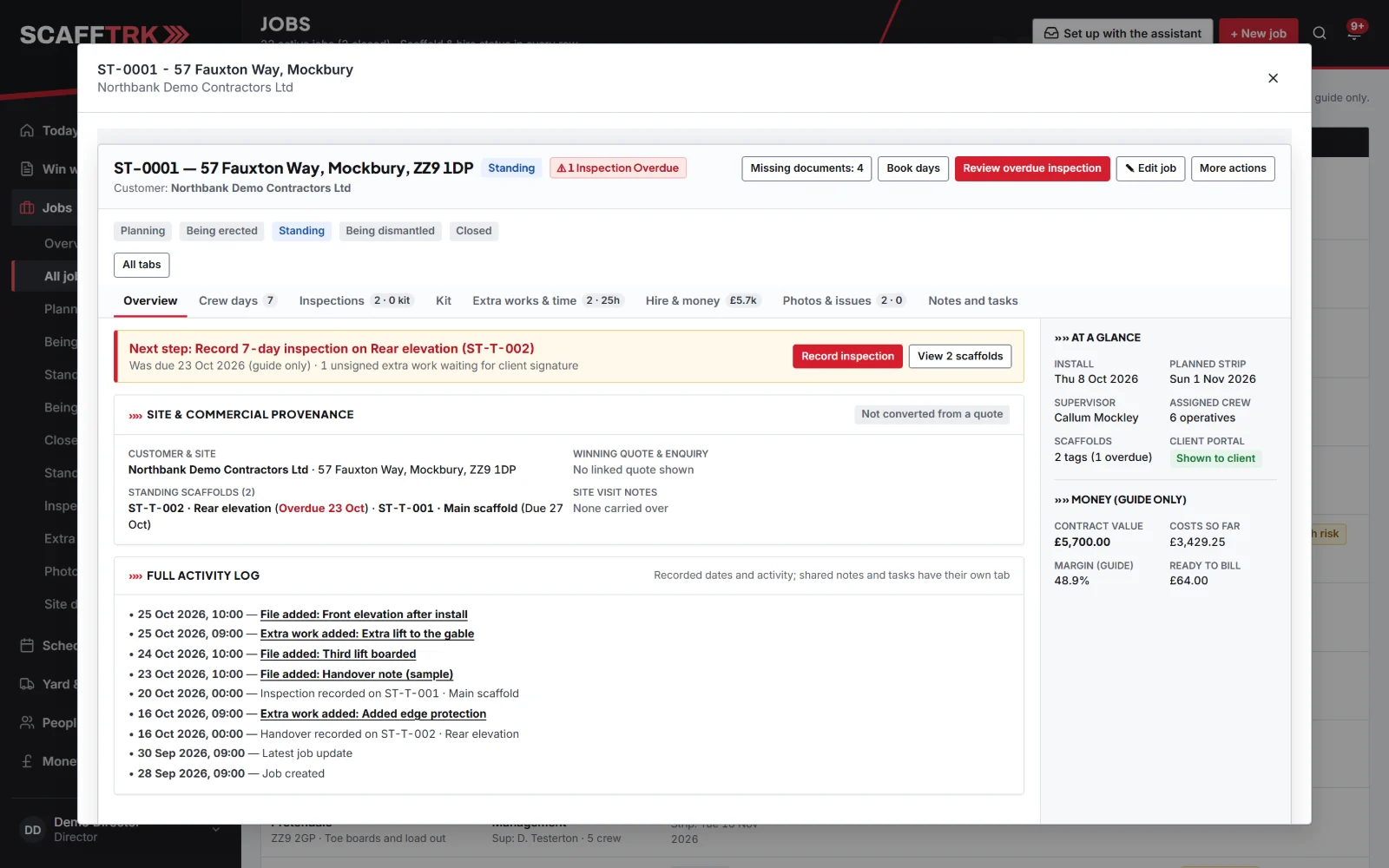
A ScaffTRK job record on a laptop, with the job's five stages across the top. Sample data.
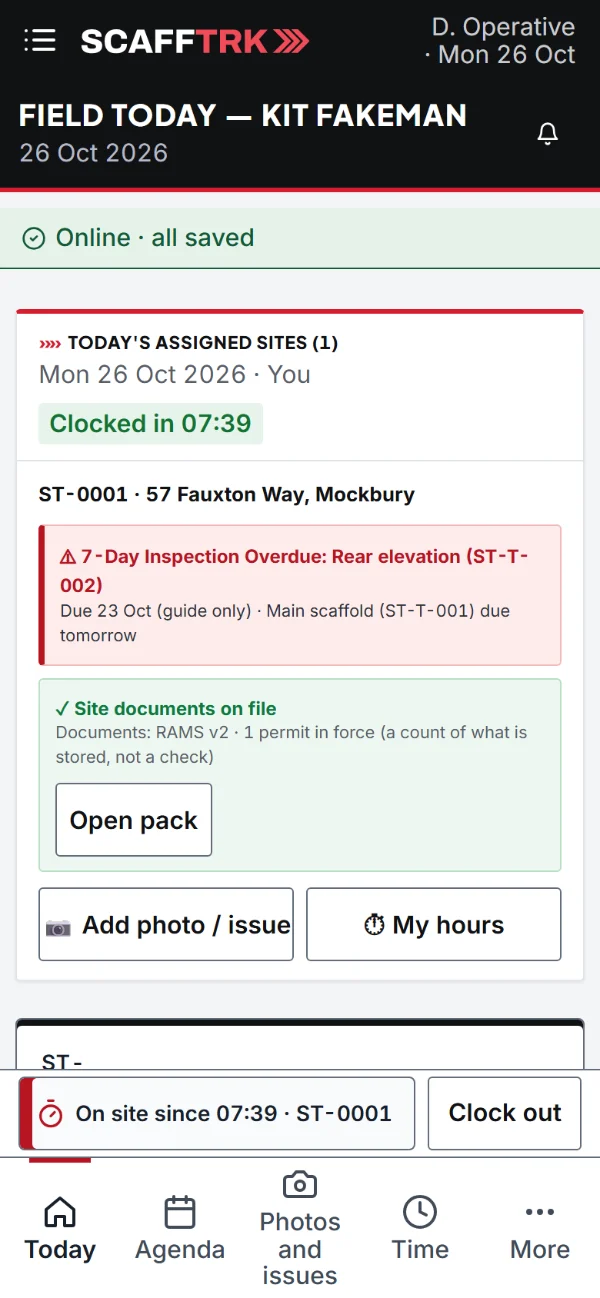
The ScaffTRK Today screen on a phone, clocked in to a site. Sample data.

Scaffold work is hard to keep in one place.

  • Jobs live everywhere.

    WhatsApp, a whiteboard and a spreadsheet nobody trusts.

  • What is still standing?

    Who is on which site, and what is due to come down?

  • Hours and extras get lost.

    What happens on site does not always reach the office, so extra work goes unpriced and the real cost of a job is a guess.

One gauge from planned to done.

The office and the crew read the same word; your customer sees where the job is up to.

  1. Planned
  2. Going up
  3. Standing
  4. Coming down
  5. Done
See what each stage means →

Office. On site.
Your customers.

One job, with the view each person needs.

Office

Plan the work. Check the figures.

Follow enquiries from the Pipeline, price quotes from your rate book and book crews on the Schedule, with clashes shown. Approve hours, expenses and extra works in one place, and see job profit as a guide.

See the office tools →
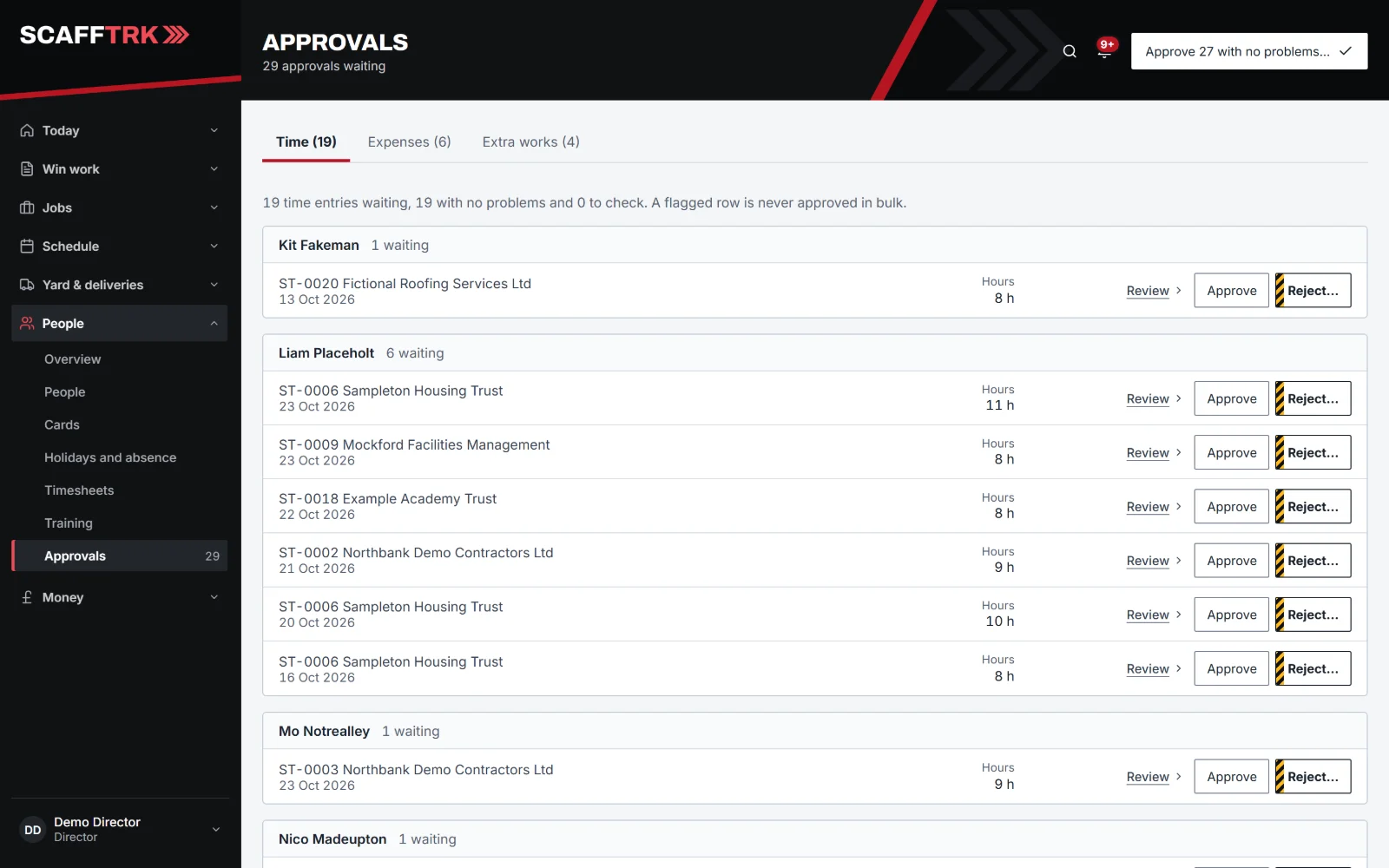
The ScaffTRK Approvals screen on a laptop, listing time entries and holiday requests waiting for approval. Sample data.
On site

Capture it where it happens.

Clock in, add photos and issues, record extra works and take the client’s signature on the phone. It keeps working without signal and sends everything when you are back in range. It installs from the browser, so there is no app store.

See the site tools →
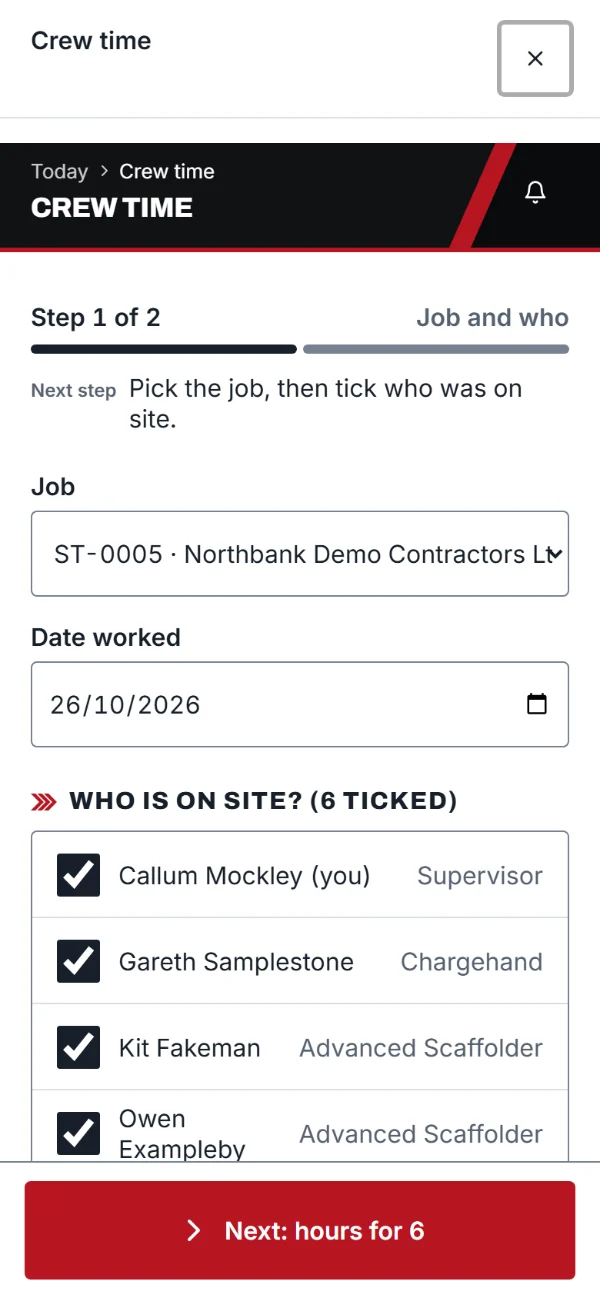
The ScaffTRK Crew time screen on a phone: pick the job, then tick who was on site. Sample data.
Your customers

Keep the right people in view.

Customers see where their job is up to, with its quotes and the photos and documents you share with them. They can accept or decline a quote and ask a question. Invoices and hire dates show only when you switch them on.

See the customer portal →
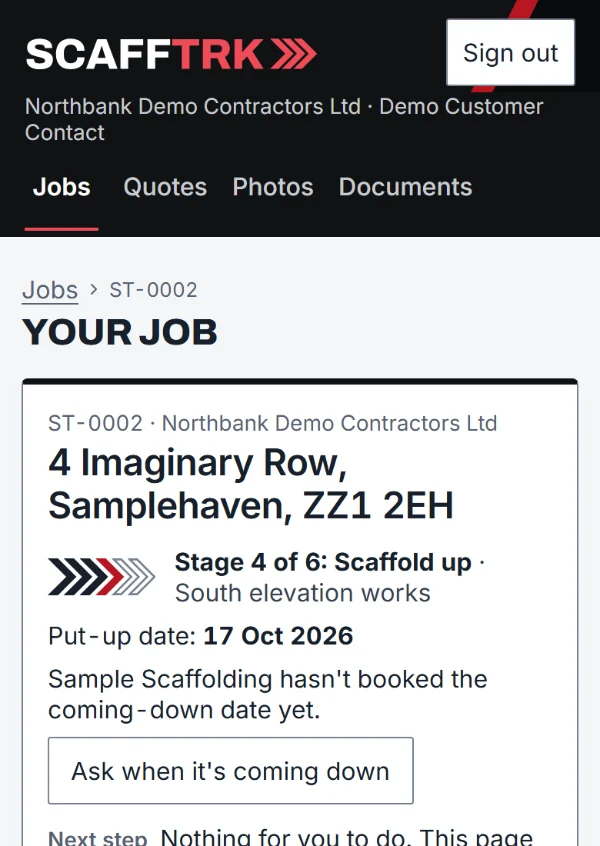
The ScaffTRK customer portal on a phone, showing a job's address, where it is up to and its put-up date. Sample data.

Plain about what it is.

  • A UK data region.Job data and files are stored in London (UK) on Google Cloud.
  • People see only what their role allows.There are 12 built-in roles, and one person can hold several.
  • Built alongside a working UK scaffolding contractor.It is shaped by real jobs, not by guesses.
  • Guide only.Prices, kit lists, inspection and handover records are guides. Scaffold design and inspections still need a competent person.

Try it on your own jobs.

ScaffTRK is in early access. We are working with a small number of UK scaffolding firms.

  1. Register your interest.

    Tell us who you are and how you run jobs today. It takes a minute.

  2. Book a demo.

    We reply, then walk you through ScaffTRK on a short call.

  3. Pilot it on your own jobs.

    Set it up with your rates and your crews, and see how it fits.

Your next step

Bring your jobs
into one place.

Register interest